By Dan Gookin from Word 2007 For Dummies
You use the standard computer command Open to fetch a document
that you previously saved as a file in Word 2007. To grab a file from your disk
drive in Word 2007 — to open it — you follow three simple steps.


1
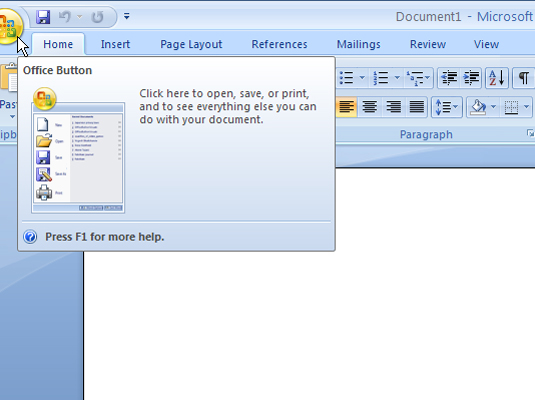
Click the Office Button
and choose the Open command from the menu.
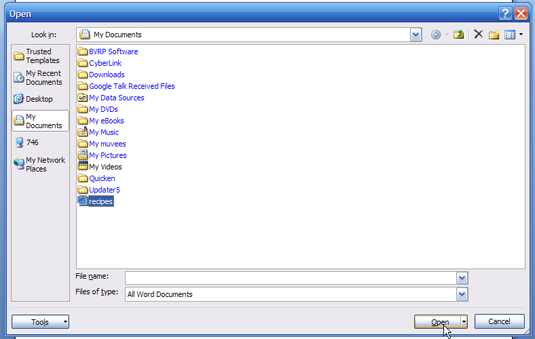
The Open dialog box materializes.

2
Click a document’s name
with the mouse.
The Open dialog box contains a list of documents previously
saved to disk. Your job is to find the one you want to open.

3

Click the Open button.


No comments:
Post a Comment